Everyone knows AI makes things up by now. That is not the interesting part, and it is not news to anyone who has tried it on their own business and quietly stopped.
The interesting part is this. It will usually tell you which bits it invented, quite readily, if you ask it the right question. Almost nobody asks.
That is the gap I want to close here, because it takes ten seconds and it changes what the tool is safe to use for.
The question
After the AI gives you anything that matters, ask it plainly:
*Which parts of that came from what I gave you, and which parts did you infer?*
That is it. No technical knowledge required, no special setup, nothing to install. It works in whatever you are already using.
What a good answer looks like
A well set up assistant separates the two without arguing about it. You get something like: the client name and the date came from your document, the total was not stated anywhere so I estimated it from the line items.
Read that sentence again, because it is doing a lot of work. It has just told you the one number to check before this leaves your desk. Everything else you can move past.
A poorly set up tool does one of two things. It cannot answer the question at all, which tells you it was never tracking the difference. Or it doubles down and invents a source, at which point you have learned something important very cheaply.
Either way you now know where you stand, which you did not thirty seconds ago.
Why it works at all
A language model produces the most plausible next words, not the most true ones. When it knows something, plausible and true land in the same place and you get a correct answer. When it does not know, it does not stop. It reaches for what usually comes next and hands you that, in exactly the same confident tone as everything else.
That last part is the whole problem. A guess and a fact arrive sounding identical. Nothing in the writing style tells you which one you are holding.
Asking it to separate what it knew from what it assumed forces the two apart, and puts the label back on.
What it looks like when a tool is set up to do this by default
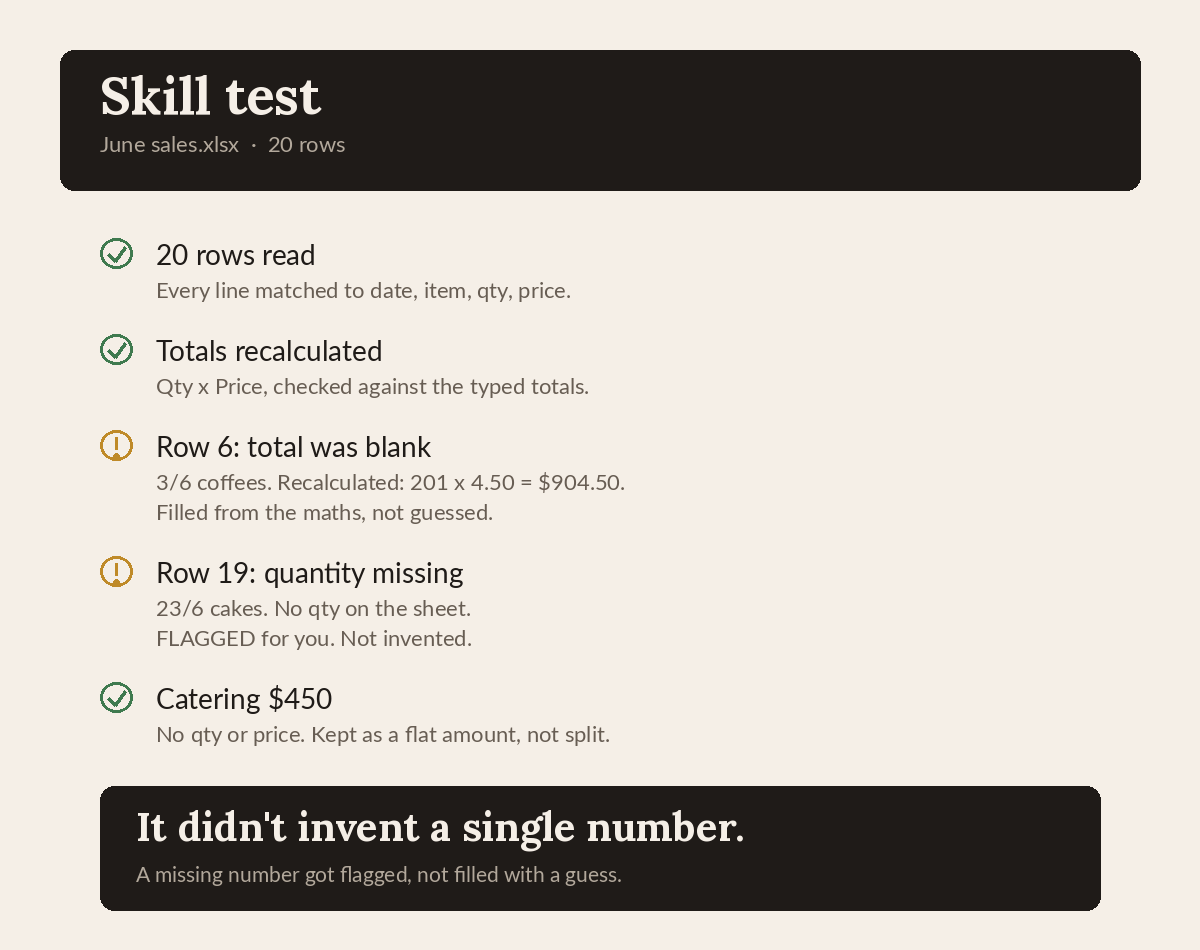
That is a check I ran against a made up cafe's sales spreadsheet, using example data rather than any real business. Twenty rows, deliberately messy. One row had no total. Another had the quantity missing entirely.
A tool that guesses produces a tidy total and moves on, and you would never know. This one recalculated what it could from the maths, then flagged the two it could not, and said so on the face of the report. It did not invent a single number.
The habit above is the manual version of that. Building it in so it happens on everything, every time, without you asking, is the setup version.
One thing to be clear about. The tool drafts and prepares the work and shows you where it is unsure. You are still the one who checks it and sends it. It is a fast first drafter that owns up to its own gaps, not something you walk away from.
The part that makes the difference
I spent years in QA, which mostly means assuming the thing in front of you is broken until it proves otherwise. It is an odd habit to bring to AI, and it turns out to be the useful one.
There are two things that get you most of the way there.
The first is giving the tool your actual business. Your documents, your numbers, your way of doing things. A tool with nothing real to answer from has no choice but to fill the space with something plausible, which is why generic answers and invented answers turn out to be the same problem wearing two faces.
The second is making the check automatic rather than remembering to run it. Set up once, properly, and every uncertain part gets labelled before it reaches you.
Try it on the next thing that matters
Next time your AI hands you something you were going to act on, ask it which parts came from you and which parts it inferred. Watch what it admits.
That test is free, it takes about ten seconds, and it will tell you more about whether the thing is trustworthy than any amount of reading about it.
If you would rather not be the one running that check on every output, that is the part I set up: an assistant that already knows your business and flags its own guesses before they reach you. The short intake at quietcontent.com.au is where to start.